
Budget management
Give approvers the budget context they need when reviewing a request.
- Organize budgets by project or department
- See committed and remaining funds
- Review spending before approval
Product features
Give your team a clear path from purchase request to approval, with budgets and supporting records in the same workflow.
Explore the workflows and practical support available to your organization.
Give approvers the budget context they need when reviewing a request.
Keep approvals and supporting documents connected to the purchase.
Connect purchasing with your accounting workflow and reduce repeated data entry.
Explore how your purchasing policy can inform the checks your team makes on each request.
Explore policy complianceExplore the monitoring service for keeping up with changes affecting grant-funded purchasing.
Explore compliance updatesSee how requests, approvals, suppliers, and invoices fit together. Bring your own workflow questions.
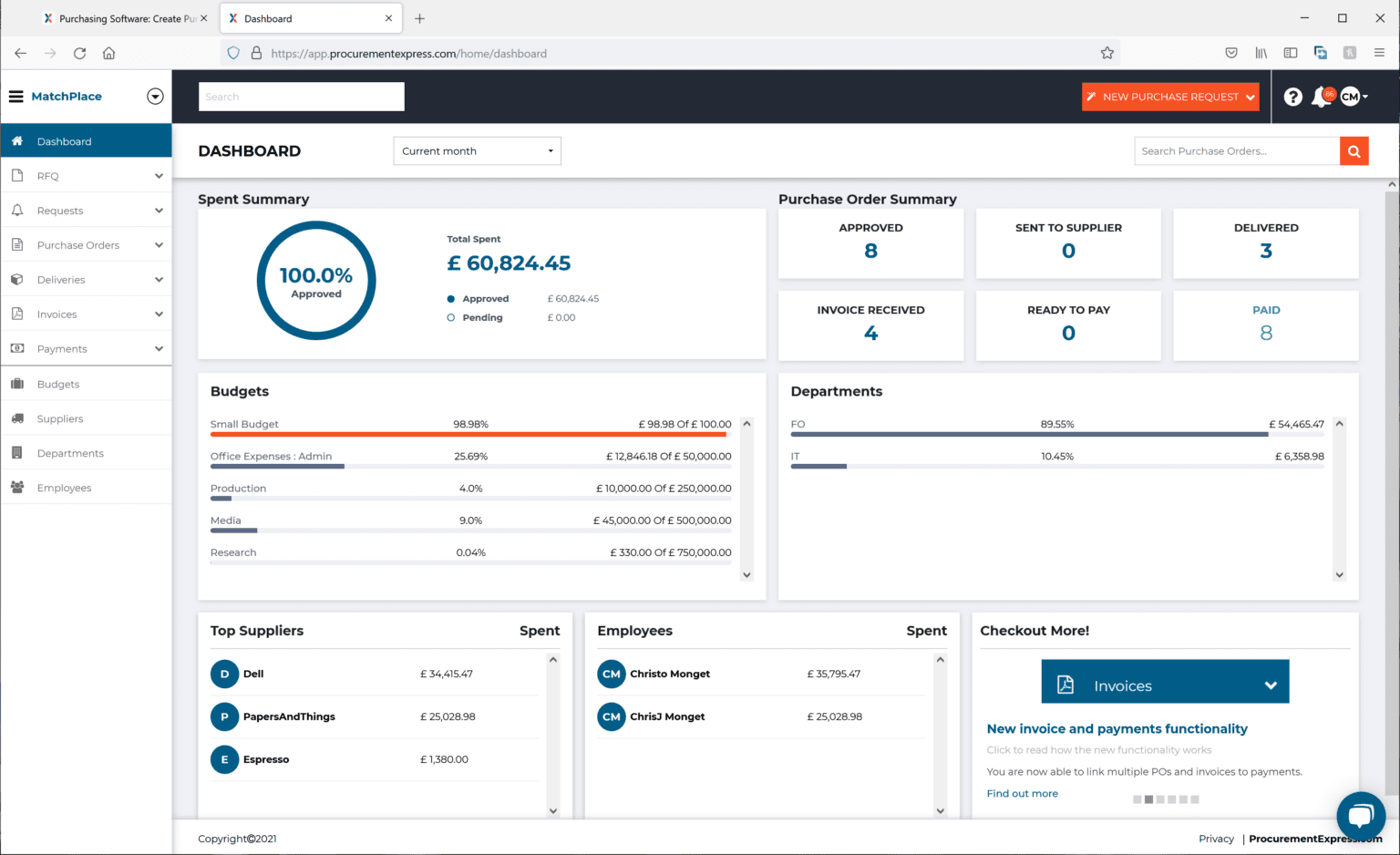
Explore live product demoSee spend, purchase order status, and budgets from the dashboard.
SEE IT WITH YOUR TEAM
Walk through your budgets, approvals, and reporting needs with us.